Create Normal Map
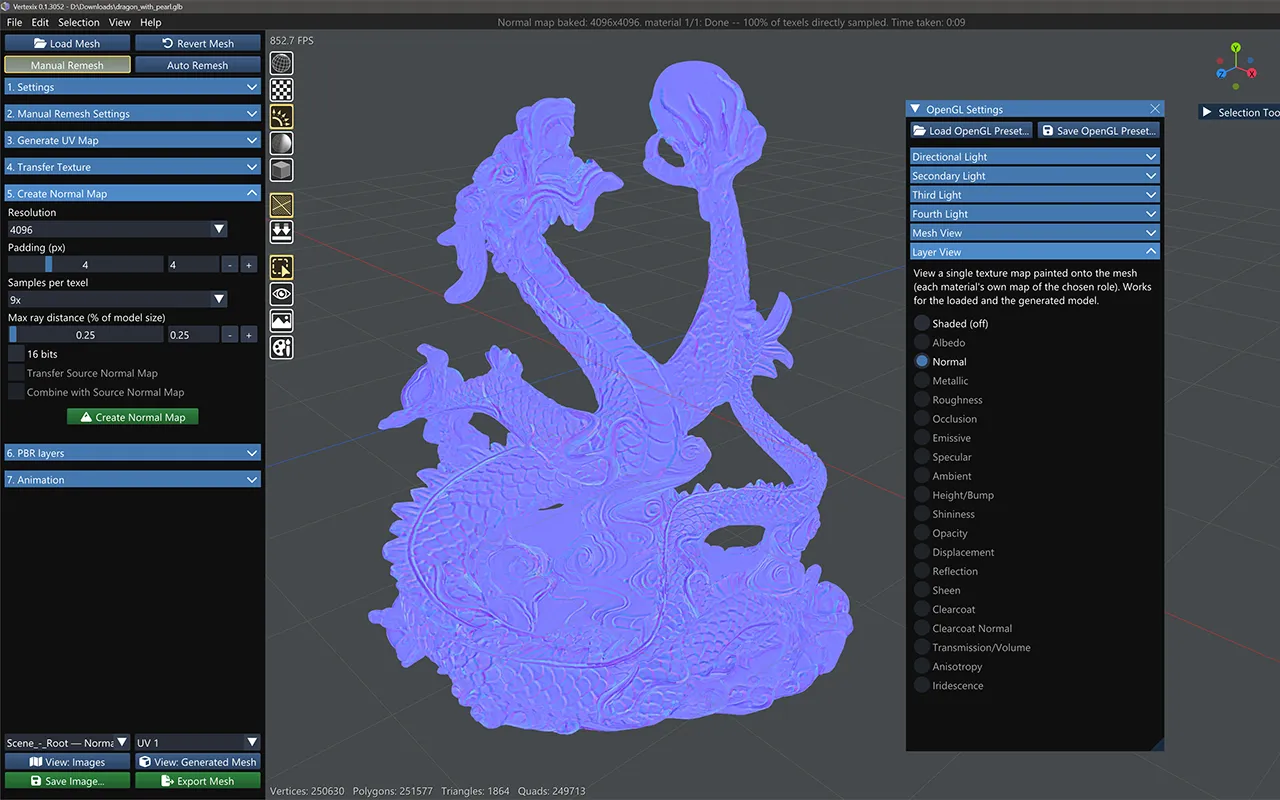
Bakes a tangent-space normal map straight from the high-poly geometry onto the created topology's UV layout. Unlike Transfer Texture, this needs no source texture — it bakes from geometry, which always exists once a mesh is loaded.
Quality controls
Five of its controls match Transfer Texture's, in the same order. The bake cage controls sit between Max ray distance (% of model size) and 16 bits.
- Resolution — an edition-capped list: up to 1024 on Free, 2048 on Light, 8192 on Regular and 32768 on Ultra.
- Padding (px) — extra dilation so bilinear filtering doesn't leak sampled directions across seams.
- Samples per texel — 1× (off) / 4× / 9×, capped by edition; casts a grid of rays per output texel instead of one and averages the resulting directions. Reduces aliasing on fine, high-frequency surface detail that a single ray per texel would otherwise flatten into whichever one direction it happened to hit.
- Max ray distance (% of model size) — how far to search, toward and away from the surface, for the original geometry: 0.05 to 20, 2 by default. Too small can leave gaps on deep creases or re-entrant detail; too large risks sampling the wrong part of the model. The bake cage can scale it up or down point by point.
- 16 bits — higher-precision file export only (Ultra, needs OpenImageIO); the live preview is always 8-bit.
For very fine sculpted or carved detail that still looks soft after raising resolution, raise Samples per texel first — it's the cheapest change and never alters an existing bake at its default (1×) setting — then check whether Max ray distance (% of model size) is wide enough to reach the bottom of deep creases without also widening it so far it risks stray hits. Where one distance cannot suit the whole model, set the reach per point with the bake cage below.
The bake cage
These controls decide where the bake's rays go and how far. They apply to every bake that projects onto the loaded model — this normal map, the height map, Transfer Texture and a VDM bake from the Loaded Mesh — and The Bake Cage explains each in full.
| Control | What it does |
|---|---|
| Smooth cage over hard edges | On by default. Rays leave along normals averaged across hard edges, so the two sides of an edge never cast apart and leave a crack of unbaked texels between them. The baked normals still use the mesh's own hard edges. |
| Fill misses from the nearest surface | On by default. A texel whose rays find nothing takes the nearest point of the loaded model instead of being left empty for the padding to guess. |
| Paint Cage | Opens the Cage Paint window, to paint how far the rays reach from each point of the Generated Mesh: farther where the original stands away from it, nearer where another part is close and must not be picked up. |
| Auto-fix Cage | Sets every point's reach for you: far enough to meet the original with a little to spare, and short of the next surface beyond it. It uses the Max ray distance (% of model size) above. With the Cage Paint window open, Ctrl+Z takes it back. |
Paint Cage and Auto-fix Cage need a Generated Mesh. Under them, a line counts the points with a painted reach, and the result of the last Auto-fix or probe is shown below it. Both checkboxes are saved with a project.
Transfer Source Normal Map & Combine
If the loaded model already has its own normal map, two mutually-exclusive options change what gets baked:
- Transfer Source Normal Map — skips the geometry bake entirely and just resamples the loaded model's own normal map onto the new UV layout.
- Combine with Source Normal Map — bakes the geometry normal map and transfers the source one, then blends them with an Overlay-style blend to keep original artist detail while adding new-topology surface contribution.
A warning line appears if the source normal map's resolution doesn't match the chosen bake resolution — it'll be resampled either way.
Create Normal Map
Requires an existing UV map on the created topology.