PBR Layer View
Isolates one physical shading channel at a time, for checking exactly what a material is contributing. Final is the normal, fully-composited PBR result; every other entry replaces the viewport with just that one channel:
Albedo, Normal, Metallic, Roughness, Ambient Occlusion, Emissive, Bump Map, Opacity, Specular F0, Anisotropic, Displacement, Translucency, Scattering — and the layers the modern glTF extensions add: Clear Coat, Clear Coat Roughness, Clear Coat Normal, Sheen Color, Sheen Roughness, Iridescence, Iridescence Thickness, Thickness, Specular Strength and Specular Color.
The list is the PBR Layer View section of PBR Settings; the most used channels are also buttons on the layer row along the top of the view (View PBR Layers on the toolbar shows it). Click a lit button again to go back to Final.
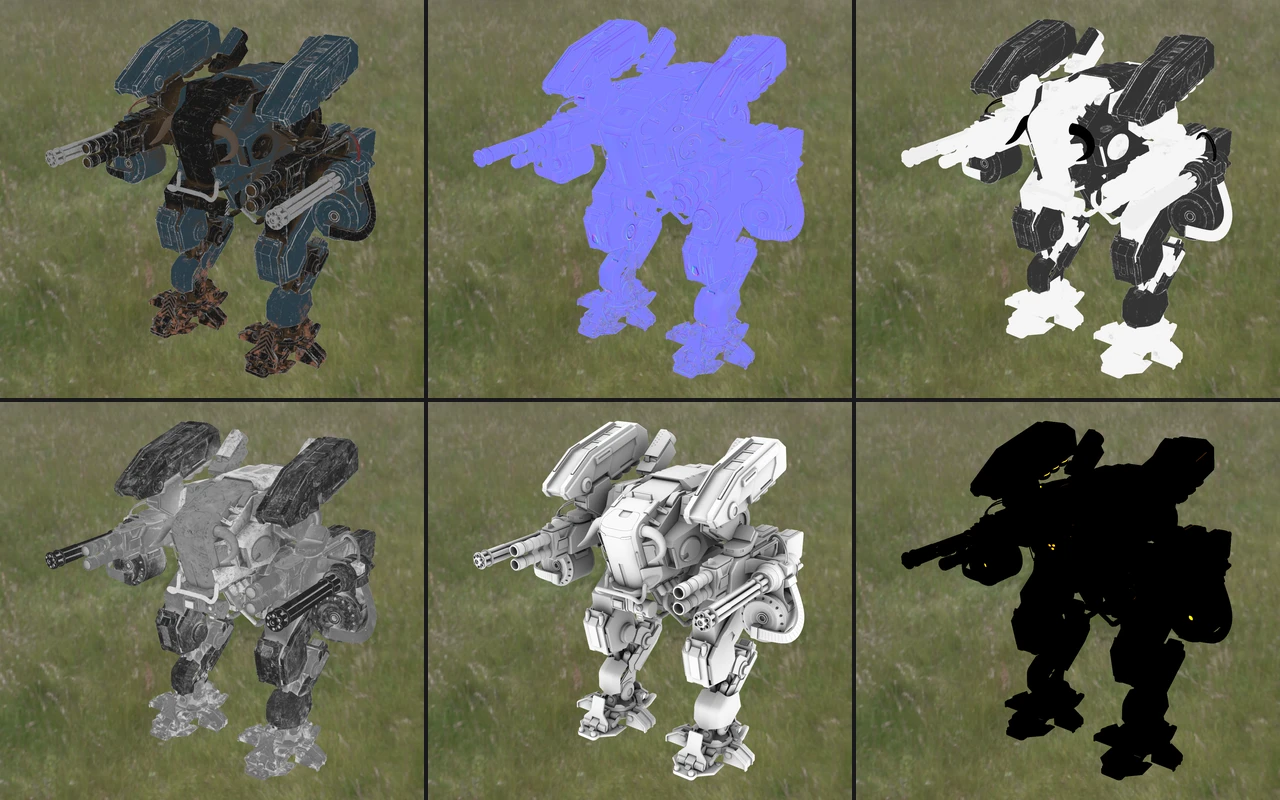
The extension layers
Each shows what drives its lobe — the material's factor times its map, exactly the value the shader shades with — not the light the lobe adds. With OpenPBR shading on, they read the OpenPBR parameters instead (the coat, fuzz and thin film), including any you authored on the material's Open PBR tab.
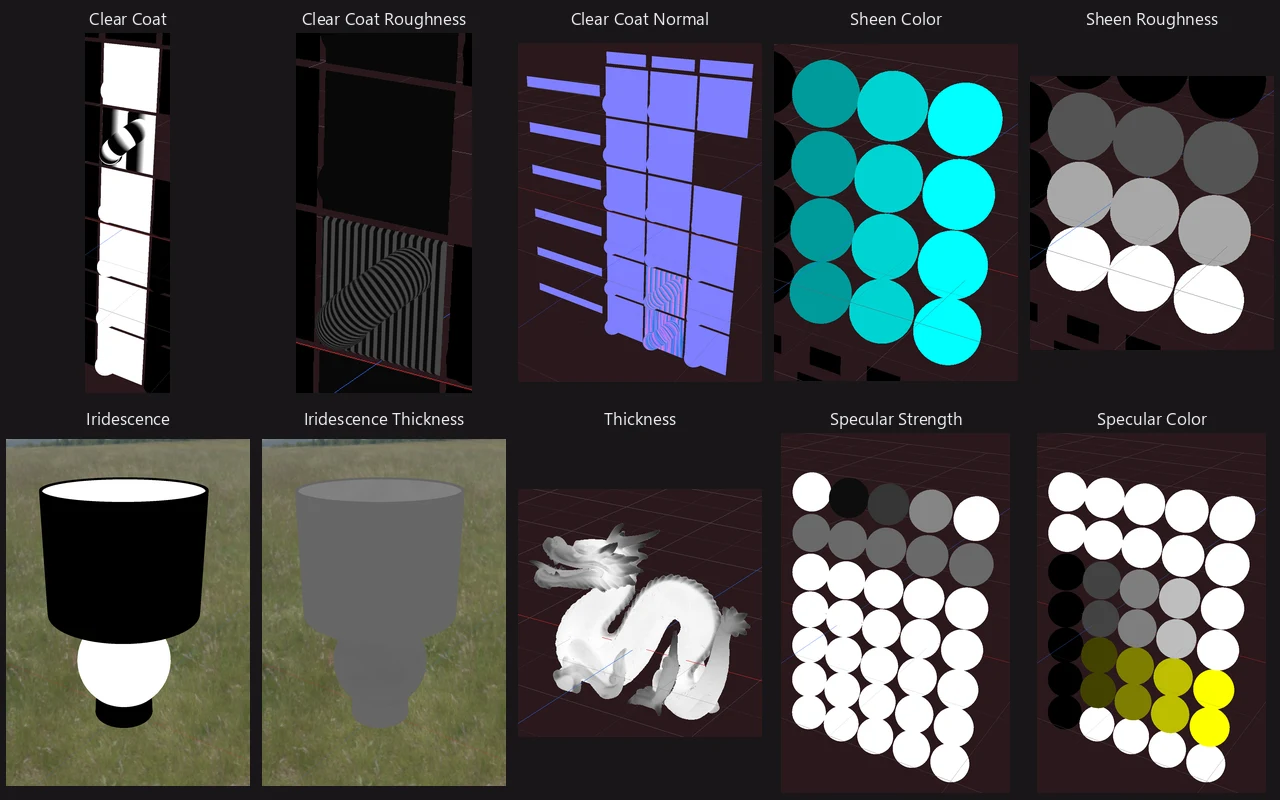
| Layer | Shows |
|---|---|
| Clear Coat | How much clear coat lies over the surface: white is a full coat, black none. |
| Clear Coat Roughness | The coat's own roughness, separate from the surface's below it. |
| Clear Coat Normal | The coat's own normal map, the way Normal shows a map: flat lavender where it has none. |
| Sheen Color | The colour of the soft velvet-like sheen at grazing angles; black is no sheen. |
| Sheen Roughness | How spread out that sheen is. |
| Iridescence | How strong the thin-film (soap bubble, oil slick) colouring is. |
| Iridescence Thickness | The film's thickness: white is 1000 nanometres, so the usual 100–400 nm reads as dark to mid grey. |
| Thickness | A transmissive volume's thickness map, as a share of the material's own thickness: white is the full thickness. |
| Specular Strength | How strong the reflection of a non-metal is (1 unless the material says otherwise). |
| Specular Color | The tint of that reflection (white unless the material says otherwise). |
When a layer greys out
Albedo, Normal, Metallic, Roughness, Ambient Occlusion, Emissive, Specular F0, Translucency, Scattering and the two Specular layers always have at least a factor or a derived value to show, so they stay permanently selectable. Bump Map, Opacity, Anisotropic, Displacement, the Clear Coat, Sheen and Iridescence layers and Thickness grey out instead when the displayed mesh has none of that — a flat, meaningless field would otherwise read as a broken view rather than as "this model simply has none of this." If the model changes under a greyed-out layer, the view goes back to Final.
In the plain OpenGL view the layer row shows the raw texture instead; Clear Coat shows the packed clear coat image there, while Clear Coat Roughness and the other layers that have no image of their own are PBR Preview only.
The selected layer resets to Final every time the app launches; it's deliberately not saved with your other preferences, so nobody reopens the app stuck on a debug channel by accident.