
1. Settings
This accordion is shared with Auto Remesh's own Settings section, but under Manual Remesh only two of its rows apply — Remesh-as mode and Target Vertex Count are Auto-Remesh-only and don't show here.
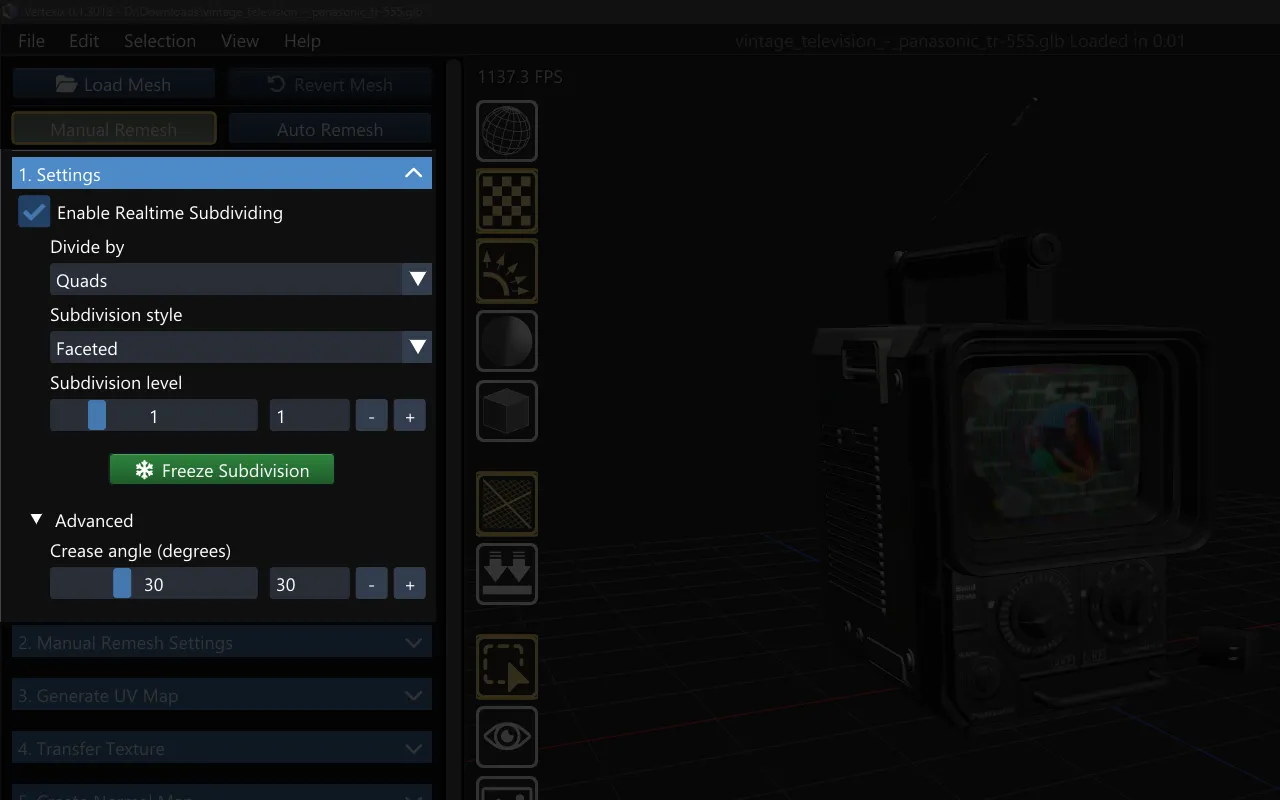
Realtime Subdividing
Subdivides the displayed mesh live and feeds that subdivided shape into the remesher — off shows and remeshes the model exactly as imported. When on, four more controls appear:
- Divide by — Triangles or Quads.
- Subdivision style — Faceted or Smooth (Smooth needs OpenSubdiv in the build).
- Subdivision level — 0–5.
- Freeze Subdivision — permanently bakes the subdivided shape into the loaded mesh and turns Realtime Subdividing off. Recommended before generating new topology, since otherwise the topology tracks the live preview instead of a fixed shape.
On a large model a new preview takes a moment to make. It is made in the background: Vertexix keeps responding, the previous preview stays on screen, and Building display mesh... shows under the level until the new one replaces it. Change the level again meanwhile and the last setting wins. Freeze Subdivision pressed straight after a change waits for the new preview, so it always bakes what the settings say.
Crease angle
Shared by both workflows — feeds directly into Realtime Subdividing's own shading, marking any edge whose dihedral angle exceeds the threshold as a hard edge instead of smoothing across it. A change is made in the background as the subdivision level's is (Building display mesh... shows meanwhile).