Image Viewer
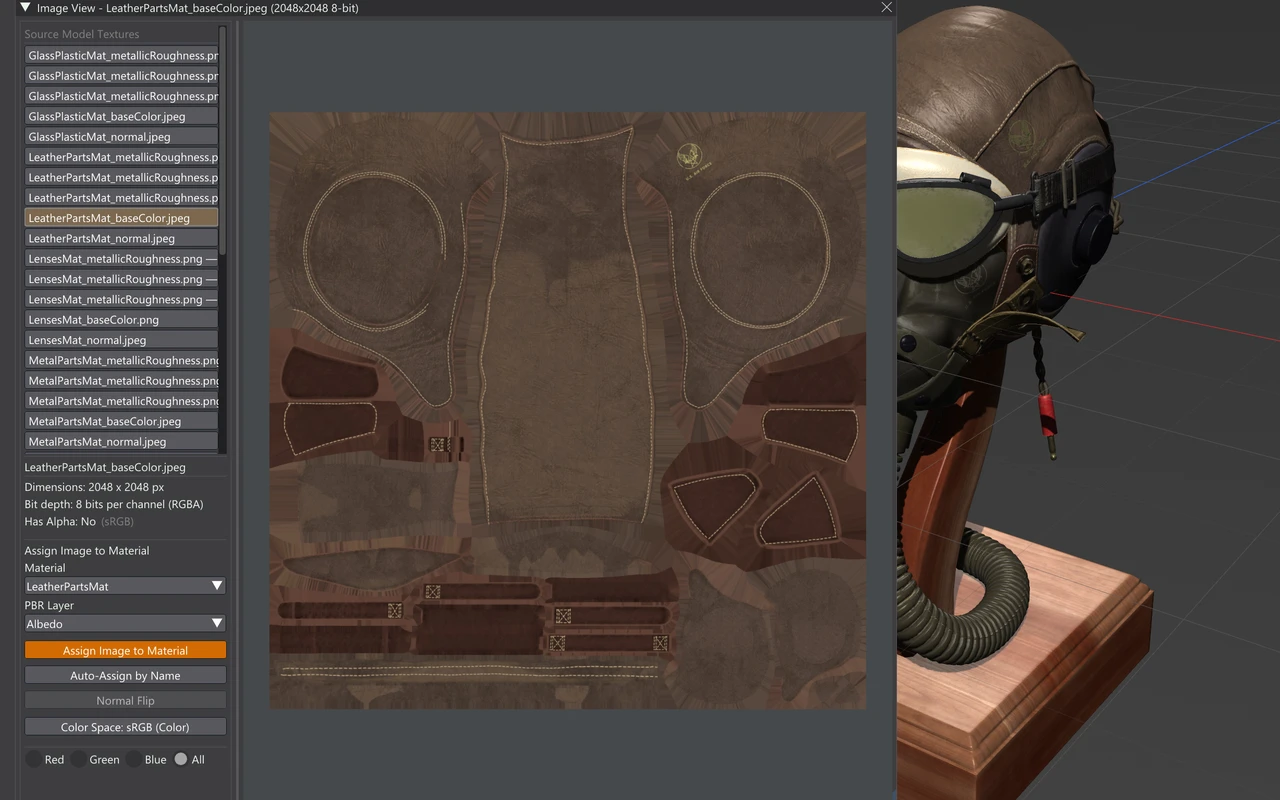
The Image View window is where you inspect every image the model carries — source textures and baked results alike — and assign one to a material's PBR layer. It's a floating, non-modal window: the 3D viewport stays fully interactive while it's open.
Opening it
Three ways in: the sidebar's View: Images button, the icon toolbar's Image Viewer icon, or the I key. Escape closes it. Right-clicking any image inside the flat canvas also opens an Image Info popup showing the same info panel described on Image Info & Assign to Material — a third way to reach it, not a separate feature.
Two-part layout
A fixed-width left column holds the Source and Generated Texture lists on top and the current image's info panel underneath. The rest of the window is a canvas showing the flat UV/image view for whichever entry is selected.
Which UV set it shows
A model can carry several UV sets (UV 1, UV 2, or the names the file gives them). The dropdown beside the sidebar's View: Images button picks the set this canvas draws its layout from. The same choice drives the Checker and Grey views on the model and the set the UV Editor edits, so you can look at any set without changing anything about the model.
The model's textures do not follow that dropdown. Each material's textures stay on the UV set the file laid them
out on (a glTF texture's texCoord, or the UV set an FBX names for it). The 3D view draws them through
that set, and painting, Node Layers, the bakes, Keep original UVs and
Pass Through all use it too, so what you paint lands where you see it. When a material's
textures are on a set other than the first, the import says so. An export writes that set as the first one, so
the textures still fit when the file is opened elsewhere. An occlusion map laid out on a set of its own keeps it
in glTF, FBX and USD, where the map names its set (in USD a second texture coordinate set, st1 and
so on, written beside st); OBJ carries one UV set, so there it reads the first.